... ... ... running build_py running build_ext /opt/anaconda3/envs/ray-compile/bin/python3.11: No module named pip Traceback (most recent call last): File "/opt/anaconda3/envs/ray-compile/lib/python3.11/site-packages/pip/_vendor/pyproject_hooks/_in_process/_in_process.py", line 389, in <module> main() File "/opt/anaconda3/envs/ray-compile/lib/python3.11/site-packages/pip/_vendor/pyproject_hooks/_in_process/_in_process.py", line 373, in main json_out["return_val"] = hook(**hook_input["kwargs"]) ^^^^^^^^^^^^^^^^^^^^^^^^^^^^ File "/opt/anaconda3/envs/ray-compile/lib/python3.11/site-packages/pip/_vendor/pyproject_hooks/_in_process/_in_process.py", line 303, in build_editable return hook(wheel_directory, config_settings, metadata_directory) ^^^^^^^^^^^^^^^^^^^^^^^^^^^^^^^^^^^^^^^^^^^^^^^^^^^^^^^^^^ File "/private/var/folders/xx/j9ztcfr55_d_3p24y1v_4mzw0000gn/T/pip-build-env-dszuoqoi/overlay/lib/python3.11/site-packages/setuptools/build_meta.py", line 468, in build_editable return self._build_with_temp_dir( ^^^^^^^^^^^^^^^^^^^^^^^^^^ File "/private/var/folders/xx/j9ztcfr55_d_3p24y1v_4mzw0000gn/T/pip-build-env-dszuoqoi/overlay/lib/python3.11/site-packages/setuptools/build_meta.py", line 404, in _build_with_temp_dir self.run_setup() File "/private/var/folders/xx/j9ztcfr55_d_3p24y1v_4mzw0000gn/T/pip-build-env-dszuoqoi/overlay/lib/python3.11/site-packages/setuptools/build_meta.py", line 512, in run_setup super().run_setup(setup_script=setup_script) File "/private/var/folders/xx/j9ztcfr55_d_3p24y1v_4mzw0000gn/T/pip-build-env-dszuoqoi/overlay/lib/python3.11/site-packages/setuptools/build_meta.py", line 317, in run_setup exec(code, locals()) File "<string>", line 784, in <module> File "/private/var/folders/xx/j9ztcfr55_d_3p24y1v_4mzw0000gn/T/pip-build-env-dszuoqoi/overlay/lib/python3.11/site-packages/setuptools/__init__.py", line 115, in setup return distutils.core.setup(**attrs) ^^^^^^^^^^^^^^^^^^^^^^^^^^^^^ File "/private/var/folders/xx/j9ztcfr55_d_3p24y1v_4mzw0000gn/T/pip-build-env-dszuoqoi/overlay/lib/python3.11/site-packages/setuptools/_distutils/core.py", line 186, in setup return run_commands(dist) ^^^^^^^^^^^^^^^^^^ File "/private/var/folders/xx/j9ztcfr55_d_3p24y1v_4mzw0000gn/T/pip-build-env-dszuoqoi/overlay/lib/python3.11/site-packages/setuptools/_distutils/core.py", line 202, in run_commands dist.run_commands() File "/private/var/folders/xx/j9ztcfr55_d_3p24y1v_4mzw0000gn/T/pip-build-env-dszuoqoi/overlay/lib/python3.11/site-packages/setuptools/_distutils/dist.py", line 1002, in run_commands self.run_command(cmd) File "/private/var/folders/xx/j9ztcfr55_d_3p24y1v_4mzw0000gn/T/pip-build-env-dszuoqoi/overlay/lib/python3.11/site-packages/setuptools/dist.py", line 1102, in run_command super().run_command(command) File "/private/var/folders/xx/j9ztcfr55_d_3p24y1v_4mzw0000gn/T/pip-build-env-dszuoqoi/overlay/lib/python3.11/site-packages/setuptools/_distutils/dist.py", line 1021, in run_command cmd_obj.run() File "/private/var/folders/xx/j9ztcfr55_d_3p24y1v_4mzw0000gn/T/pip-build-env-dszuoqoi/overlay/lib/python3.11/site-packages/setuptools/command/editable_wheel.py", line 139, in run self._create_wheel_file(bdist_wheel) File "/private/var/folders/xx/j9ztcfr55_d_3p24y1v_4mzw0000gn/T/pip-build-env-dszuoqoi/overlay/lib/python3.11/site-packages/setuptools/command/editable_wheel.py", line 349, in _create_wheel_file files, mapping = self._run_build_commands(dist_name, unpacked, lib, tmp) ^^^^^^^^^^^^^^^^^^^^^^^^^^^^^^^^^^^^^^^^^^^^^^^^^^^^^^^ File "/private/var/folders/xx/j9ztcfr55_d_3p24y1v_4mzw0000gn/T/pip-build-env-dszuoqoi/overlay/lib/python3.11/site-packages/setuptools/command/editable_wheel.py", line 272, in _run_build_commands self._run_build_subcommands() File "/private/var/folders/xx/j9ztcfr55_d_3p24y1v_4mzw0000gn/T/pip-build-env-dszuoqoi/overlay/lib/python3.11/site-packages/setuptools/command/editable_wheel.py", line 299, in _run_build_subcommands self.run_command(name) File "/private/var/folders/xx/j9ztcfr55_d_3p24y1v_4mzw0000gn/T/pip-build-env-dszuoqoi/overlay/lib/python3.11/site-packages/setuptools/_distutils/cmd.py", line 357, in run_command self.distribution.run_command(command) File "/private/var/folders/xx/j9ztcfr55_d_3p24y1v_4mzw0000gn/T/pip-build-env-dszuoqoi/overlay/lib/python3.11/site-packages/setuptools/dist.py", line 1102, in run_command super().run_command(command) File "/private/var/folders/xx/j9ztcfr55_d_3p24y1v_4mzw0000gn/T/pip-build-env-dszuoqoi/overlay/lib/python3.11/site-packages/setuptools/_distutils/dist.py", line 1021, in run_command cmd_obj.run() File "<string>", line 772, in run File "<string>", line 674, in pip_run File "<string>", line 542, in build File "/opt/anaconda3/envs/ray-compile/lib/python3.11/subprocess.py", line 413, in check_call raise CalledProcessError(retcode, cmd) subprocess.CalledProcessError: Command '['/opt/anaconda3/envs/ray-compile/bin/python3.11', '-m', 'pip', 'install', '-q', '--target=/Users/xytan/Desktop/study/ray/python/ray/thirdparty_files', 'psutil', 'setproctitle==1.2.2', 'colorama']' returned non-zero exit status 1. An error occurred when building editable wheel for ray. See debugging tips in: https://setuptools.pypa.io/en/latest/userguide/development_mode.html#debugging-tips error: subprocess-exited-with-error
× Building editable for ray (pyproject.toml) did not run successfully. │ exit code: 1 ╰─> No available output.
note: This error originates from a subprocess, and is likely not a problem with pip. full command: /opt/anaconda3/envs/ray-compile/bin/python3.11 /opt/anaconda3/envs/ray-compile/lib/python3.11/site-packages/pip/_vendor/pyproject_hooks/_in_process/_in_process.py build_editable /var/folders/xx/j9ztcfr55_d_3p24y1v_4mzw0000gn/T/tmp2ifs64vi cwd: /Users/xytan/Desktop/study/ray/python Building editable for ray (pyproject.toml) ... error ERROR: Failed building editable for ray Failed to build ray error: failed-wheel-build-for-install
× Failed to build installable wheels for some pyproject.toml based projects ╰─> ray
# Note: We are passing in sys.executable so that we use the same # version of Python to build packages inside the build.sh script. Note # that certain flags will not be passed along such as --user or sudo. # TODO(rkn): Fix this. ifnot os.getenv("SKIP_THIRDPARTY_INSTALL"): pip_packages = ["psutil", "setproctitle==1.2.2", "colorama"] subprocess.check_call( [ sys.executable, "-m", "pip", "install", "-q", "--target=" + os.path.join(ROOT_DIR, THIRDPARTY_SUBDIR), ] + pip_packages, env=dict(os.environ, CC="gcc"), )
# 只需 11 次即可定位,二分效率惊人 git bisect start ray-2.52.1 02ac0cdc7adf5e611134840c73fa47dd7866140d # Bisecting: 2469 revisions left to test after this (roughly 11 steps) # [07f509670a9857d3507fcc9defdc5487d8083758] [data] Refactor interface for actor_pool_map_operator (#53752)
d2004b6353e131bb67e1bc7f771a09780ee32d2a is the first bad commit commit d2004b6353e131bb67e1bc7f771a09780ee32d2a Author: Philipp Moritz <pcmoritz@gmail.com> Date: Thu Feb 13 00:08:30 2025 -0800
[Core] Initial port of Ray to Python 3.13 (#47984)
<!-- Thank you for your contribution! Please review https://github.com/ray-project/ray/blob/master/CONTRIBUTING.rst before opening a pull request. -->
<!-- Please add a reviewer to the assignee section when you create a PR. If you don't have the access to it, we will shortly find a reviewer and assign them to your PR. -->
## Why are these changes needed?
This is the first step towards https://github.com/ray-project/ray/issues/47933
It is not very tested at the moment (on Python 3.13), but it compiles locally (with `pip install -e . --verbose`) and can execute a simple workload like >>> import ray >>> ray.init() 2024-10-10 16:03:31,857 INFO worker.py:1799 -- Started a local Ray instance. RayContext(dashboard_url='', python_version='3.13.0', ray_version='3.0.0.dev0', ray_commit='{{RAY_COMMIT_SHA}}') >>> @ray.remote ... def f(): ... return 42 ... >>> ray.get(f.remote()) 42 >>> (and similar for actors).
The main thing that needed to change to make Ray work on Python 3.13 was to upgrade Cython to 3.0.11 which seems to be the first version of Cython to support Python 3.13. Unfortunately it has a compiler bug https://github.com/cython/cython/pull/3235 (the fix is not released yet) that I had to work around.
I also had to work around https://github.com/cython/cython/issues/5750 by changing some typing from `float` to `int | float`.
## Related issue number
<!-- For example: "Closes #1234" -->
## Checks
- [ ] I've signed off every commit(by using the -s flag, i.e., `git commit -s`) in this PR. - [ ] I've run `scripts/format.sh` to lint the changes in this PR. - [ ] I've included any doc changes needed for https://docs.ray.io/en/master/. - [ ] I've added any new APIs to the API Reference. For example, if I added a method in Tune, I've added it in `doc/source/tune/api/` under the corresponding `.rst` file. - [ ] I've made sure the tests are passing. Note that there might be a few flaky tests, see the recent failures at https://flakey-tests.ray.io/ - Testing Strategy - [ ] Unit tests - [ ] Release tests - [ ] This PR is not tested :(
---------
Signed-off-by: Philipp Moritz <pcmoritz@gmail.com> Co-authored-by: pcmoritz <pcmoritz@anyscale.com> Co-authored-by: srinathk10 <68668616+srinathk10@users.noreply.github.com> Co-authored-by: Edward Oakes <ed.nmi.oakes@gmail.com>
Use --sandbox_debug to see verbose messages from the sandbox and retain the sandbox build root for debugging In file included from external/zlib/zutil.c:10: In file included from external/zlib/gzguts.h:21: In file included from /Library/Developer/CommandLineTools/SDKs/MacOSX.sdk/usr/include/stdio.h:61: /Library/Developer/CommandLineTools/SDKs/MacOSX.sdk/usr/include/_stdio.h:318:7: error: expected identifier or '(' 318 | FILE *fdopen(int, const char *) __DARWIN_ALIAS_STARTING(__MAC_10_6, __IPHONE_2_0, __DARWIN_ALIAS(fdopen)); | ^ external/zlib/zutil.h:147:33: note: expanded from macro 'fdopen' 147 | # define fdopen(fd,mode) NULL /* No fdopen() */ | ^ /Library/Developer/CommandLineTools/usr/lib/clang/17/include/__stddef_null.h:26:16: note: expanded from macro 'NULL' 26 | #define NULL ((void*)0) | ^ In file included from external/zlib/zutil.c:10: In file included from external/zlib/gzguts.h:21: In file included from /Library/Developer/CommandLineTools/SDKs/MacOSX.sdk/usr/include/stdio.h:61: /Library/Developer/CommandLineTools/SDKs/MacOSX.sdk/usr/include/_stdio.h:318:7: error: expected ')' external/zlib/zutil.h:147:33: note: expanded from macro 'fdopen' 147 | # define fdopen(fd,mode) NULL /* No fdopen() */ | ^ /Library/Developer/CommandLineTools/usr/lib/clang/17/include/__stddef_null.h:26:16: note: expanded from macro 'NULL' 26 | #define NULL ((void*)0) | ^ /Library/Developer/CommandLineTools/SDKs/MacOSX.sdk/usr/include/_stdio.h:318:7: note: to match this '(' external/zlib/zutil.h:147:33: note: expanded from macro 'fdopen' 147 | # define fdopen(fd,mode) NULL /* No fdopen() */ | ^ /Library/Developer/CommandLineTools/usr/lib/clang/17/include/__stddef_null.h:26:15: note: expanded from macro 'NULL' 26 | #define NULL ((void*)0) | ^ In file included from external/zlib/zutil.c:10: In file included from external/zlib/gzguts.h:21: In file included from /Library/Developer/CommandLineTools/SDKs/MacOSX.sdk/usr/include/stdio.h:61: /Library/Developer/CommandLineTools/SDKs/MacOSX.sdk/usr/include/_stdio.h:318:7: error: expected ')' 318 | FILE *fdopen(int, const char *) __DARWIN_ALIAS_STARTING(__MAC_10_6, __IPHONE_2_0, __DARWIN_ALIAS(fdopen)); | ^ external/zlib/zutil.h:147:33: note: expanded from macro 'fdopen' 147 | # define fdopen(fd,mode) NULL /* No fdopen() */ | ^ /Library/Developer/CommandLineTools/usr/lib/clang/17/include/__stddef_null.h:26:22: note: expanded from macro 'NULL' 26 | #define NULL ((void*)0) | ^ /Library/Developer/CommandLineTools/SDKs/MacOSX.sdk/usr/include/_stdio.h:318:7: note: to match this '(' external/zlib/zutil.h:147:33: note: expanded from macro 'fdopen' 147 | # define fdopen(fd,mode) NULL /* No fdopen() */ | ^ /Library/Developer/CommandLineTools/usr/lib/clang/17/include/__stddef_null.h:26:14: note: expanded from macro 'NULL' 26 | #define NULL ((void*)0) | ^ 3 errors generated. INFO: Elapsed time: 6.329s, Critical Path: 4.04s INFO: 512 processes: 360 internal, 152 darwin-sandbox. FAILED: Build did NOT complete successfully Traceback (most recent call last): File "/opt/anaconda3/envs/ray-compile/lib/python3.11/site-packages/pip/_vendor/pyproject_hooks/_in_process/_in_process.py", line 389, in <module> main() File "/opt/anaconda3/envs/ray-compile/lib/python3.11/site-packages/pip/_vendor/pyproject_hooks/_in_process/_in_process.py", line 373, in main json_out["return_val"] = hook(**hook_input["kwargs"]) ^^^^^^^^^^^^^^^^^^^^^^^^^^^^ File "/opt/anaconda3/envs/ray-compile/lib/python3.11/site-packages/pip/_vendor/pyproject_hooks/_in_process/_in_process.py", line 303, in build_editable return hook(wheel_directory, config_settings, metadata_directory) ^^^^^^^^^^^^^^^^^^^^^^^^^^^^^^^^^^^^^^^^^^^^^^^^^^^^^^^^^^ File "/private/var/folders/xx/j9ztcfr55_d_3p24y1v_4mzw0000gn/T/pip-build-env-v2znngb3/overlay/lib/python3.11/site-packages/setuptools/build_meta.py", line 468, in build_editable return self._build_with_temp_dir( ^^^^^^^^^^^^^^^^^^^^^^^^^^ File "/private/var/folders/xx/j9ztcfr55_d_3p24y1v_4mzw0000gn/T/pip-build-env-v2znngb3/overlay/lib/python3.11/site-packages/setuptools/build_meta.py", line 404, in _build_with_temp_dir self.run_setup() File "/private/var/folders/xx/j9ztcfr55_d_3p24y1v_4mzw0000gn/T/pip-build-env-v2znngb3/overlay/lib/python3.11/site-packages/setuptools/build_meta.py", line 512, in run_setup super().run_setup(setup_script=setup_script) File "/private/var/folders/xx/j9ztcfr55_d_3p24y1v_4mzw0000gn/T/pip-build-env-v2znngb3/overlay/lib/python3.11/site-packages/setuptools/build_meta.py", line 317, in run_setup exec(code, locals()) File "<string>", line 784, in <module> File "/private/var/folders/xx/j9ztcfr55_d_3p24y1v_4mzw0000gn/T/pip-build-env-v2znngb3/overlay/lib/python3.11/site-packages/setuptools/__init__.py", line 115, in setup return distutils.core.setup(**attrs) ^^^^^^^^^^^^^^^^^^^^^^^^^^^^^ File "/private/var/folders/xx/j9ztcfr55_d_3p24y1v_4mzw0000gn/T/pip-build-env-v2znngb3/overlay/lib/python3.11/site-packages/setuptools/_distutils/core.py", line 186, in setup return run_commands(dist) ^^^^^^^^^^^^^^^^^^ File "/private/var/folders/xx/j9ztcfr55_d_3p24y1v_4mzw0000gn/T/pip-build-env-v2znngb3/overlay/lib/python3.11/site-packages/setuptools/_distutils/core.py", line 202, in run_commands dist.run_commands() File "/private/var/folders/xx/j9ztcfr55_d_3p24y1v_4mzw0000gn/T/pip-build-env-v2znngb3/overlay/lib/python3.11/site-packages/setuptools/_distutils/dist.py", line 1002, in run_commands self.run_command(cmd) File "/private/var/folders/xx/j9ztcfr55_d_3p24y1v_4mzw0000gn/T/pip-build-env-v2znngb3/overlay/lib/python3.11/site-packages/setuptools/dist.py", line 1102, in run_command super().run_command(command) File "/private/var/folders/xx/j9ztcfr55_d_3p24y1v_4mzw0000gn/T/pip-build-env-v2znngb3/overlay/lib/python3.11/site-packages/setuptools/_distutils/dist.py", line 1021, in run_command cmd_obj.run() File "/private/var/folders/xx/j9ztcfr55_d_3p24y1v_4mzw0000gn/T/pip-build-env-v2znngb3/overlay/lib/python3.11/site-packages/setuptools/command/editable_wheel.py", line 139, in run self._create_wheel_file(bdist_wheel) File "/private/var/folders/xx/j9ztcfr55_d_3p24y1v_4mzw0000gn/T/pip-build-env-v2znngb3/overlay/lib/python3.11/site-packages/setuptools/command/editable_wheel.py", line 349, in _create_wheel_file files, mapping = self._run_build_commands(dist_name, unpacked, lib, tmp) ^^^^^^^^^^^^^^^^^^^^^^^^^^^^^^^^^^^^^^^^^^^^^^^^^^^^^^^ File "/private/var/folders/xx/j9ztcfr55_d_3p24y1v_4mzw0000gn/T/pip-build-env-v2znngb3/overlay/lib/python3.11/site-packages/setuptools/command/editable_wheel.py", line 272, in _run_build_commands self._run_build_subcommands() File "/private/var/folders/xx/j9ztcfr55_d_3p24y1v_4mzw0000gn/T/pip-build-env-v2znngb3/overlay/lib/python3.11/site-packages/setuptools/command/editable_wheel.py", line 299, in _run_build_subcommands self.run_command(name) File "/private/var/folders/xx/j9ztcfr55_d_3p24y1v_4mzw0000gn/T/pip-build-env-v2znngb3/overlay/lib/python3.11/site-packages/setuptools/_distutils/cmd.py", line 357, in run_command self.distribution.run_command(command) File "/private/var/folders/xx/j9ztcfr55_d_3p24y1v_4mzw0000gn/T/pip-build-env-v2znngb3/overlay/lib/python3.11/site-packages/setuptools/dist.py", line 1102, in run_command super().run_command(command) File "/private/var/folders/xx/j9ztcfr55_d_3p24y1v_4mzw0000gn/T/pip-build-env-v2znngb3/overlay/lib/python3.11/site-packages/setuptools/_distutils/dist.py", line 1021, in run_command cmd_obj.run() File "<string>", line 772, in run File "<string>", line 674, in pip_run File "<string>", line 617, in build File "<string>", line 397, in bazel_invoke File "/opt/anaconda3/envs/ray-compile/lib/python3.11/subprocess.py", line 413, in check_call raise CalledProcessError(retcode, cmd) subprocess.CalledProcessError: Command '['bazel', 'build', '--verbose_failures', '--', '//:ray_pkg', '//cpp:ray_cpp_pkg']' returned non-zero exit status 1. An error occurred when building editable wheel for ray. See debugging tips in: https://setuptools.pypa.io/en/latest/userguide/development_mode.html#debugging-tips error: subprocess-exited-with-error
× Building editable for ray (pyproject.toml) did not run successfully. │ exit code: 1 ╰─> No available output.
note: This error originates from a subprocess, and is likely not a problem with pip. full command: /opt/anaconda3/envs/ray-compile/bin/python3.11 /opt/anaconda3/envs/ray-compile/lib/python3.11/site-packages/pip/_vendor/pyproject_hooks/_in_process/_in_process.py build_editable /var/folders/xx/j9ztcfr55_d_3p24y1v_4mzw0000gn/T/tmpq2o3yp9s cwd: /Users/xytan/Desktop/study/ray/python Building editable for ray (pyproject.toml) ... error ERROR: Failed building editable for ray Failed to build ray error: failed-wheel-build-for-install
× Failed to build installable wheels for some pyproject.toml based projects ╰─> ray
65ae6076f25325528dabf1432d1ff1bedb1c70b3 is the first bad commit commit 65ae6076f25325528dabf1432d1ff1bedb1c70b3 Author: Dhyey Shah <dhyey2019@gmail.com> Date: Mon Apr 7 12:41:34 2025 -0400
[core] Patch zlib and clang 17 compliant for mac update (#52020)
ray git:(6e726cac4f) ✗ pip install -e python --verbose Using pip 25.3 from /opt/anaconda3/envs/ray-compile-1/lib/python3.11/site-packages/pip (python 3.11) Obtaining file:///Users/xytan/Desktop/study/ray/python Running command installing build dependencies Using pip 25.3 from /opt/anaconda3/envs/ray-compile-1/lib/python3.11/site-packages/pip (python 3.11) Collecting setuptools>=40.8.0 Obtaining dependency information for setuptools>=40.8.0 from https://files.pythonhosted.org/packages/a3/dc/17031897dae0efacfea57dfd3a82fdd2a2aeb58e0ff71b77b87e44edc772/setuptools-80.9.0-py3-none-any.whl.metadata Using cached setuptools-80.9.0-py3-none-any.whl.metadata (6.6 kB) Using cached setuptools-80.9.0-py3-none-any.whl (1.2 MB) Installing collected packages: setuptools Successfully installed setuptools-80.9.0 Installing build dependencies ... done Running command Checking if build backend supports build_editable Checking if build backend supports build_editable ... done Running command Getting requirements to build editable Getting requirements to build editable ... done Running command installing backend dependencies Using pip 25.3 from /opt/anaconda3/envs/ray-compile-1/lib/python3.11/site-packages/pip (python 3.11) Collecting pip Obtaining dependency information for pip from https://files.pythonhosted.org/packages/44/3c/d717024885424591d5376220b5e836c2d5293ce2011523c9de23ff7bf068/pip-25.3-py3-none-any.whl.metadata Using cached pip-25.3-py3-none-any.whl.metadata (4.7 kB) Collecting wheel Obtaining dependency information for wheel from https://files.pythonhosted.org/packages/0b/2c/87f3254fd8ffd29e4c02732eee68a83a1d3c346ae39bc6822dcbcb697f2b/wheel-0.45.1-py3-none-any.whl.metadata Using cached wheel-0.45.1-py3-none-any.whl.metadata (2.3 kB) Collecting cython>=0.29.32 Obtaining dependency information for cython>=0.29.32 from https://files.pythonhosted.org/packages/e0/ba/d785f60564a43bddbb7316134252a55d67ff6f164f0be90c4bf31482da82/cython-3.2.2-cp311-cp311-macosx_11_0_arm64.whl.metadata Using cached cython-3.2.2-cp311-cp311-macosx_11_0_arm64.whl.metadata (5.0 kB) Using cached pip-25.3-py3-none-any.whl (1.8 MB) Using cached wheel-0.45.1-py3-none-any.whl (72 kB) Using cached cython-3.2.2-cp311-cp311-macosx_11_0_arm64.whl (3.0 MB) ... ... ... Building editable for ray (pyproject.toml) ... done Created wheel for ray: filename=ray-2.40.0-0.editable-cp311-cp311-macosx_11_0_arm64.whl size=7304 sha256=5b09461aeadadc13af4d10af9d5c78e4a55a52718113de72f0b02bbeb485c5c3 Stored in directory: /private/var/folders/xx/j9ztcfr55_d_3p24y1v_4mzw0000gn/T/pip-ephem-wheel-cache-njomx5v1/wheels/3b/4a/f0/6edffb2ad8c786ba8990ff9495668d930965bc91921b146ea6 Successfully built ray Installing collected packages: ray Attempting uninstall: ray Found existing installation: ray 2.52.1 Uninstalling ray-2.52.1: Removing file or directory /opt/anaconda3/envs/ray-compile-1/bin/ray Removing file or directory /opt/anaconda3/envs/ray-compile-1/bin/serve Removing file or directory /opt/anaconda3/envs/ray-compile-1/bin/tune Removing file or directory /opt/anaconda3/envs/ray-compile-1/lib/python3.11/site-packages/__editable__.ray-2.52.1.pth Removing file or directory /opt/anaconda3/envs/ray-compile-1/lib/python3.11/site-packages/__editable___ray_2_52_1_finder.py Removing file or directory /opt/anaconda3/envs/ray-compile-1/lib/python3.11/site-packages/__pycache__/__editable___ray_2_52_1_finder.cpython-311.pyc Removing file or directory /opt/anaconda3/envs/ray-compile-1/lib/python3.11/site-packages/ray-2.52.1.dist-info/ Successfully uninstalled ray-2.52.1 changing mode of /opt/anaconda3/envs/ray-compile-1/bin/ray to 755 changing mode of /opt/anaconda3/envs/ray-compile-1/bin/rllib to 755 changing mode of /opt/anaconda3/envs/ray-compile-1/bin/serve to 755 changing mode of /opt/anaconda3/envs/ray-compile-1/bin/tune to 755 Successfully installed ray-2.40.0
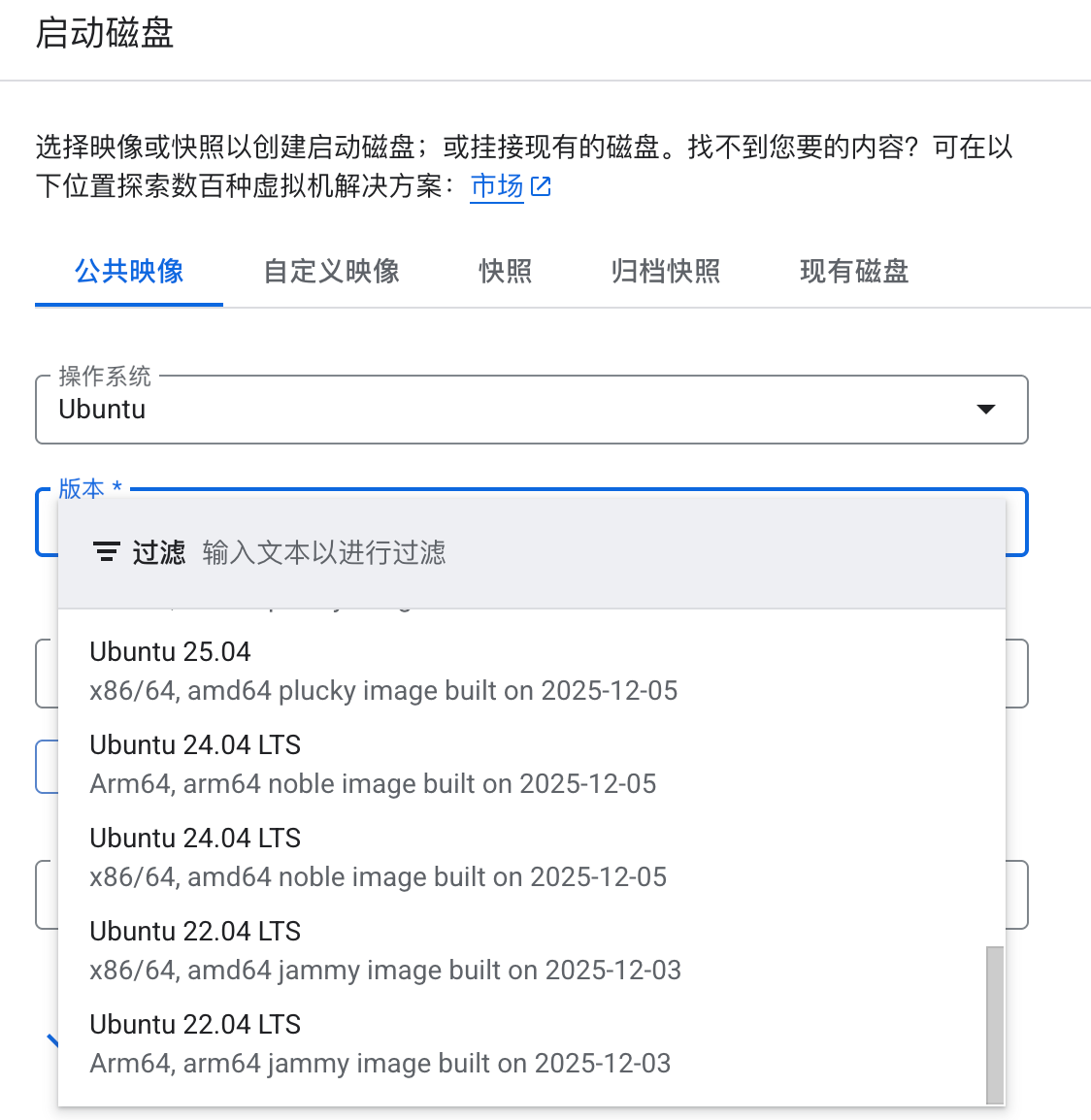
因此,若需为老版本操作系统编译 HotFix,推荐的做法是:在云厂商处租用相同 CPU 架构的较新版本机器,然后通过 Docker 拉取 CentOS 或 Ubuntu 官方提供的老版本镜像进行编译,以此确保编译环境与生产环境的一致性。
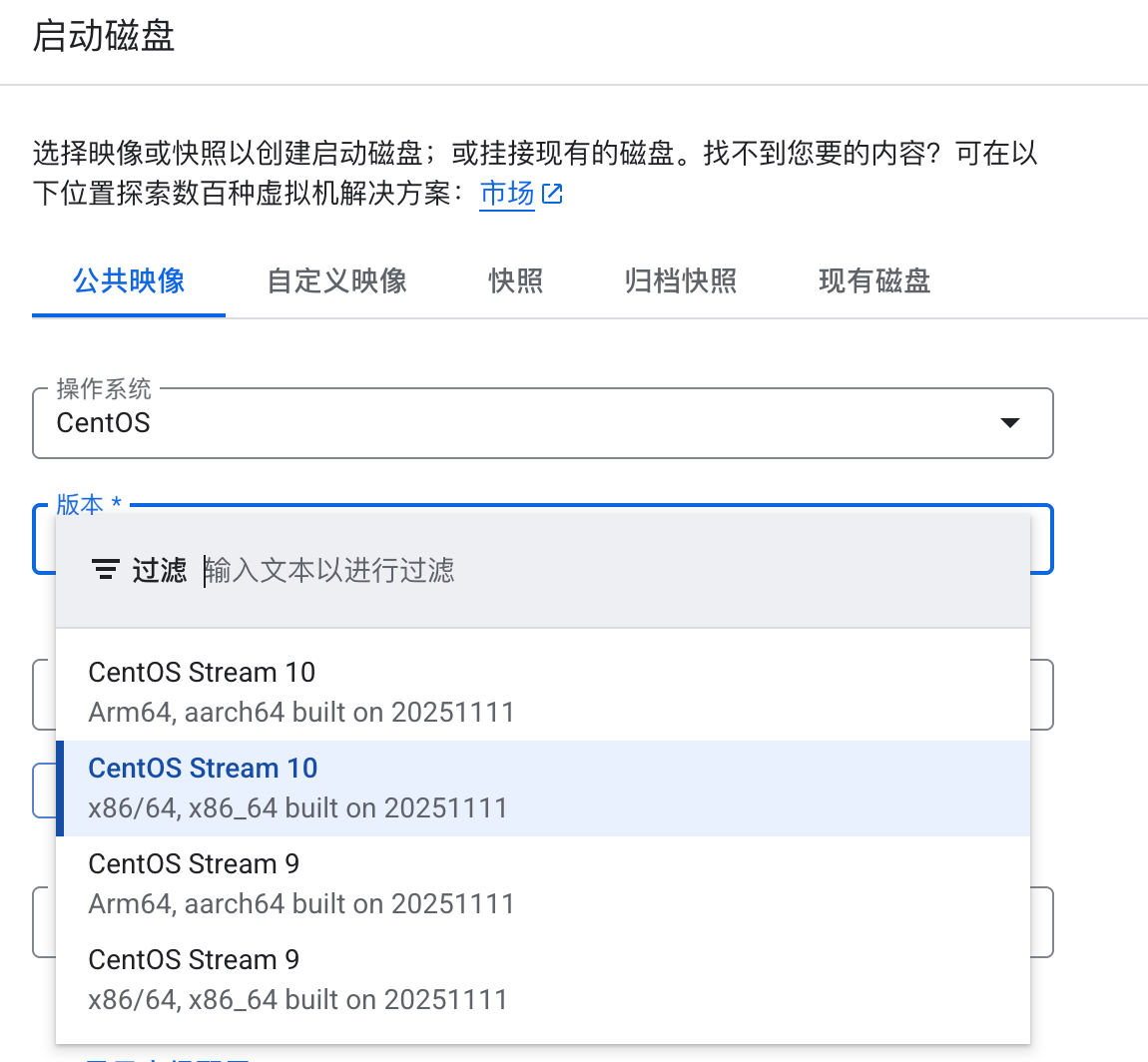
基于以上分析,我在 Google Cloud 上租用了一台 x86 架构的 CentOS Stream 9 机器进行后续编译。
环境配置
按上述要求从云厂商处申请机器,通过 SSH 登录
安装 Docker
1
sudo yum install docker
拉取目标版本的 CentOS 镜像并进入容器
1
docker run -it centos:8.1.1911 /bin/bash
由于 CentOS 8 官方源已停止服务,需在容器内配置可用的 yum 源
1 2 3 4 5
sed -i 's|mirrorlist=|#mirrorlist=|g' /etc/yum.repos.d/CentOS-*.repo sed -i 's|#baseurl=http://mirror.centos.org|baseurl=http://vault.centos.org|g' /etc/yum.repos.d/CentOS-*.repo
src/ray/common/id.cc: In function'uint64_t ray::MurmurHash64A(const void*, int, unsigned int)': src/ray/common/id.cc:106:7: error: this statement may fall through [-Werror=implicit-fallthrough=] ... cc1plus: all warnings being treated as errors
问题根源与修改原因: Ray 的 C++ 代码在 MurmurHash64A 等函数中使用了 switch 语句的 Fall-through(自然落入) 结构,这种结构在 GCC 中会触发 -Wimplicit-fallthrough 警告。由于 Ray 源码根目录下的 .bazelrc 文件中存在一条高优先级的配置规则,例如 build:linux —per_file_copt=”…”-Werror,这条规则将所有警告都升级为了错误。命令行参数无法覆盖这条规则。因此,需要手动进入 .bazelrc 文件,将该行配置(即强制添加 -Werror 的项)注释掉,才能允许这些警告存在,从而使核心代码编译通过。
GCC 版本不兼容导致的 C++ 歧义错误
这个问题发生在尝试使用 Ray 2.40.0 版本的源代码时。Ray 的 C++ 代码库是基于较新的 C++ 标准(如 C++17)编写的,而系统默认 GCC 版本(可能是 GCC 8.x 或更早)在处理新标准的一些特性时存在缺陷。
报错日志片段(关键信息):
1
error: ambiguous overload for'operator<<' (operand types are 'std::ostringstream' {aka 'std::__cxx11::basic_ostringstream<char>'} and 'std::nullptr_t')
...
...
...
  Options like `package-data`, `include/exclude-package-data` or
  `packages.find.exclude/include` may have no effect.

  adding '__editable___ray_2_40_0_finder.py'
  adding '__editable__.ray-2.40.0.pth'
  creating '/tmp/pip-ephem-wheel-cache-rq0i6oso/wheels/3b/a3/3e/5871189f4113432e73b7e4659ab9a4d2edef3998a6dcfea06f/tmp5xknhp72/.tmp-_9ctuqe5/ray-2.40.0-0.editable-cp311-cp311-linux_x86_64.whl' and adding '/tmp/tmpr9lwou7pray-2.40.0-0.editable-cp311-cp311-linux_x86_64.whl' to it
  adding 'ray-2.40.0.dist-info/METADATA'
  adding 'ray-2.40.0.dist-info/WHEEL'
  adding 'ray-2.40.0.dist-info/entry_points.txt'
  adding 'ray-2.40.0.dist-info/top_level.txt'
  adding 'ray-2.40.0.dist-info/RECORD'
  /tmp/pip-build-env-mlv1uqa4/overlay/lib/python3.11/site-packages/setuptools/command/editable_wheel.py:351: InformationOnly: Editable installation.
  !!

          ********************************************************************************
          Please be careful with folders in your working directory with the same
          name as your package as they may take precedence during imports.
          ********************************************************************************

  !!
    with strategy, WheelFile(wheel_path, "w") as wheel_obj:
  Building editable for ray (pyproject.toml) ... done
  Created wheel for ray: filename=ray-2.40.0-0.editable-cp311-cp311-linux_x86_64.whl size=7272 sha256=18b317c847a6088a316df5f5c98bda8e245fb62cd7acb720a374447e4b94646c
  Stored in directory: /tmp/pip-ephem-wheel-cache-rq0i6oso/wheels/3b/a3/3e/5871189f4113432e73b7e4659ab9a4d2edef3998a6dcfea06f
Successfully built ray
Installing collected packages: ray
  changing mode of /root/anaconda3/envs/ray-compile/bin/ray to 755
  changing mode of /root/anaconda3/envs/ray-compile/bin/rllib to 755
  changing mode of /root/anaconda3/envs/ray-compile/bin/serve to 755
  changing mode of /root/anaconda3/envs/ray-compile/bin/tune to 755
Successfully installed ray-2.40.0